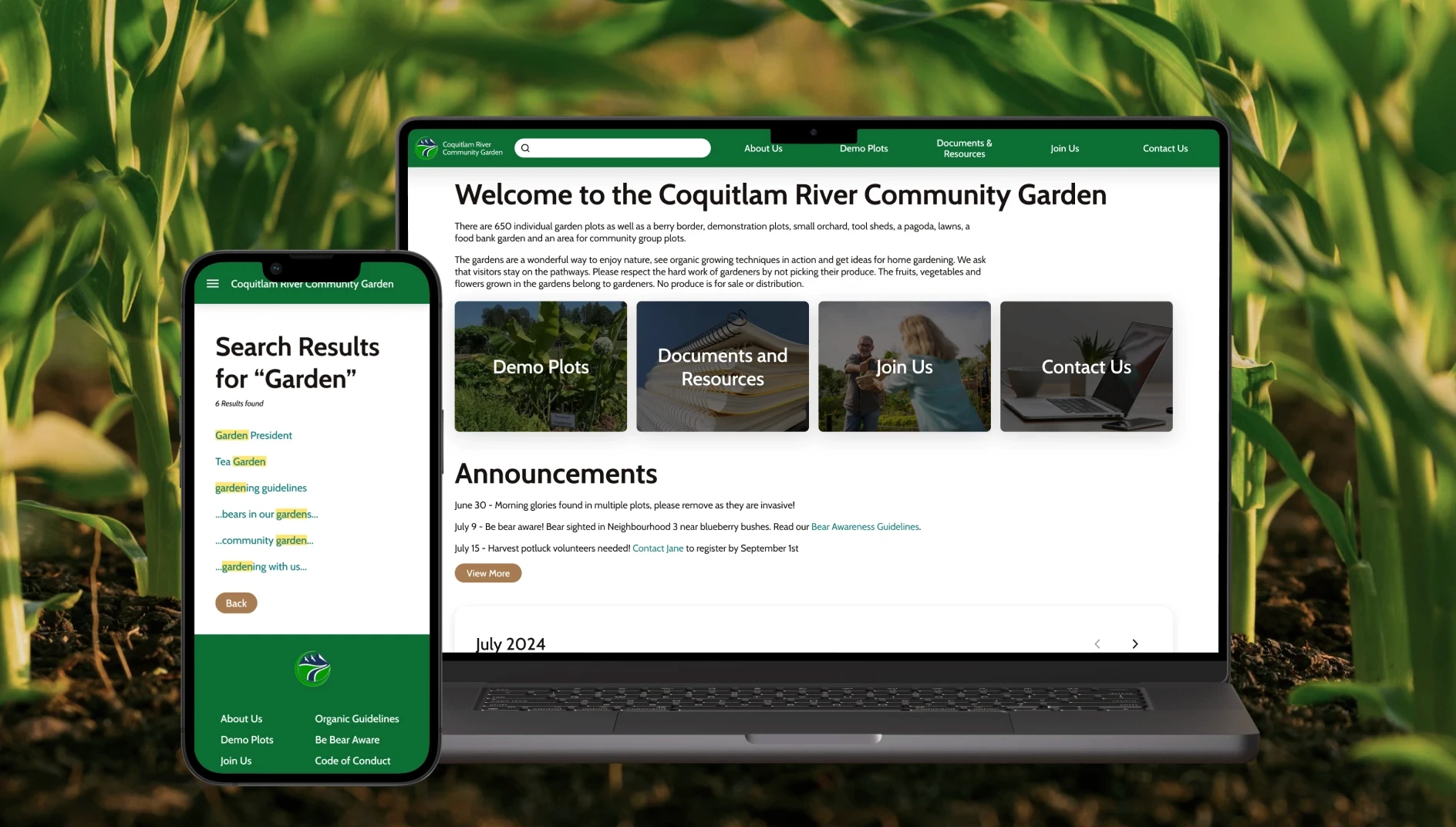
Aviation Training Prerequisite Management System
How might the creation of course prerequisite rules be redesigned as an intuitive, low-jargon, support-forward experience?
Client:
Pelesys Learning Systems Inc., subsidiary of CAE
Industry:
EdTech, Enterprise-Grade Apps, Aviation Training
Timeframe:
1 month (2 sprint cycles)
My Role:
UX Design, Accessibility Design, UI refresh
Team:
1 Designer, 1 Product Owner, 2 Developers, 2 QA Agents
Tools:
Figma, Hand Sketching
Translated stakeholder insights into tangible use cases that informed usability features.
Implemented UI refresh with iterative approach including:
constraining UI with minimum width and height for consistent visibility and interactivity
designed visual accessibility options through different note colour modes including dark, sepia, and 5 colour modes.
speculated accessibility options for font sizes and styles
Redesigning Prerequisite Creation as an Infrequent, High-Impact Task
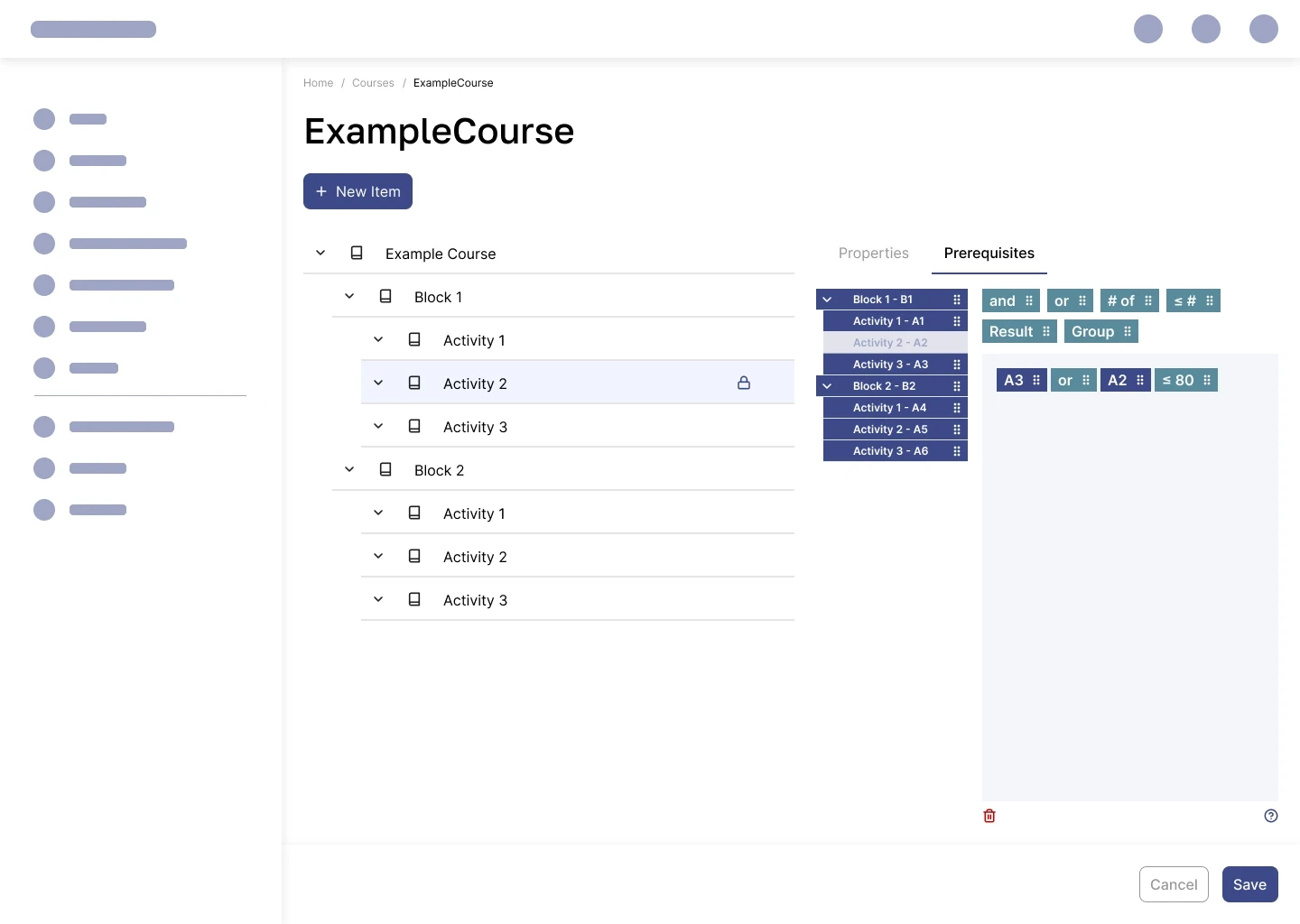
The prerequisite building workflow is a sprint feature among the visual and systemic upgrading of the Learning Management System (LMS), one of 6 applications among Pelesys’ Training Management and Deployment System (TMDS) app suite.
When policies change or training needs have to be updated, course prereqs need to be adapted. Training admins will go into the system and manually update the specific activity prereqs under that course. This might happen infrequently depending on the organization and its policies, so ideally this task would be intuitive enough to approach without extensive prior training and background knowledge.
A modernized UI and interaction model would aim to reduce the background knowledge required, make the editing process more visually clear, and improve understandability among team members using the LMS.
Designing with Constraints and Centred on Research Findings
💡Creation and editing of prerequisites are typically handled by training managers, system administrators, and occasionally ground instructors. These power users manage prerequisites as needed, based on curriculum updates or regulatory changes. They need to quickly interpret prerequisite logic, make on-the-fly edits through an intuitive and forgiving interface, and easily verify accuracy through cross-checking with colleagues.
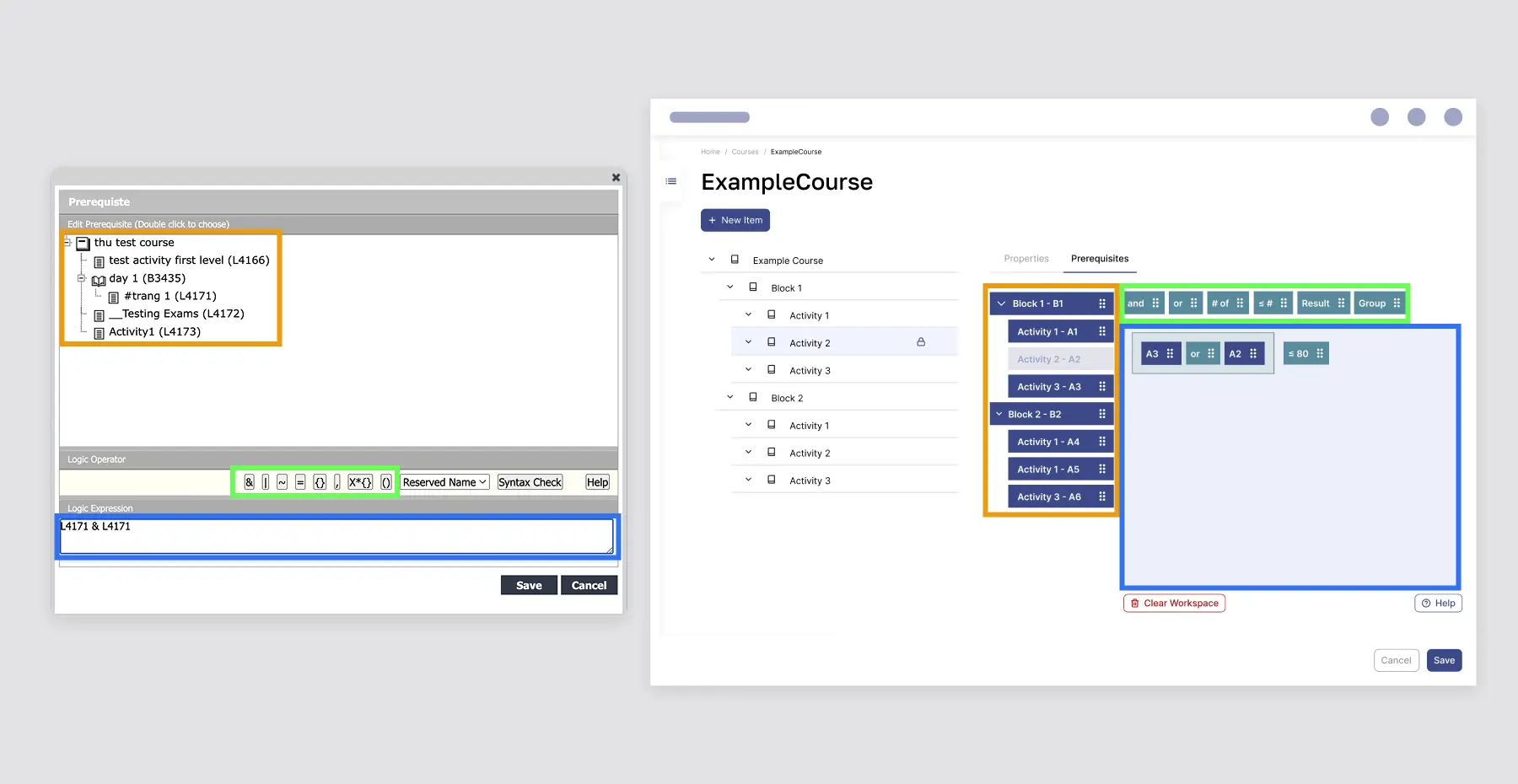
This redesign aimed to simplify how admins create course prerequisites in an aviation training app, replacing a rigid, keyboard-input-based interface with a more intuitive drag-and-drop model. While constrained by the parent company’s design system and the managerial decision to avoid using modals and and detaching from the course context, I had room to reimagine the interaction pattern.
Customer feedback from earlier research, including input from Philippine Airlines and Fiji Airways, had consistently called for a drag-and-drop approach. This redesign is the first implementation of that idea, offering a more visual way to manage prerequisite logic.
The Drag & Drop Model: Components, Combinations, and Context
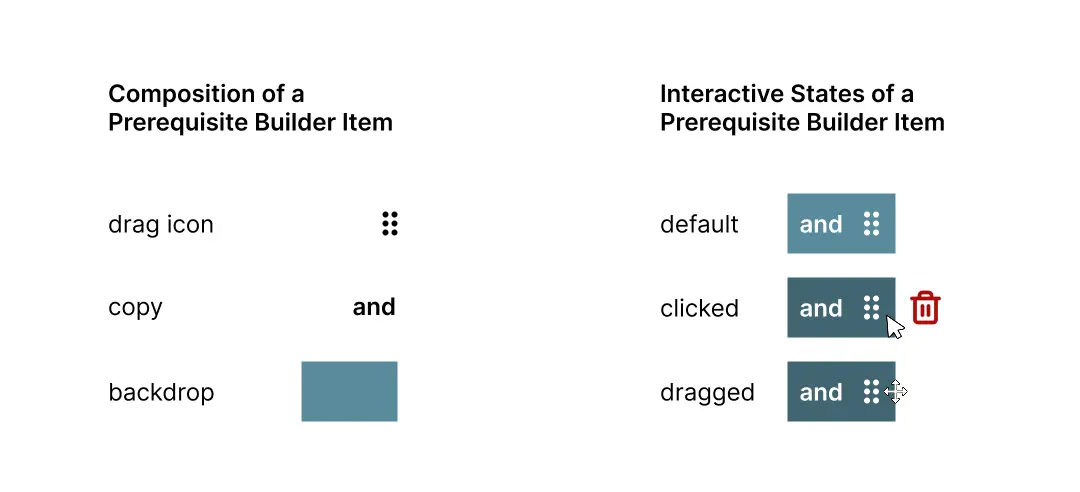
Drag and drop design is composed of:
drag handles and rectangular shape to create foundation for the affordance of dragging
mini tree with shorthand codes as shorthand to represent the activities within this course
written words instead of symbols for the operators - more accessible for users without knowledge on boolean operators
grouping as visually embedded rectangles instead of parentheses for simpler visual representation
The prerequisite building tool is situated inside its own tab within the course, instead of a modal that reduces the context of that course.
Building a Prerequisite Expression
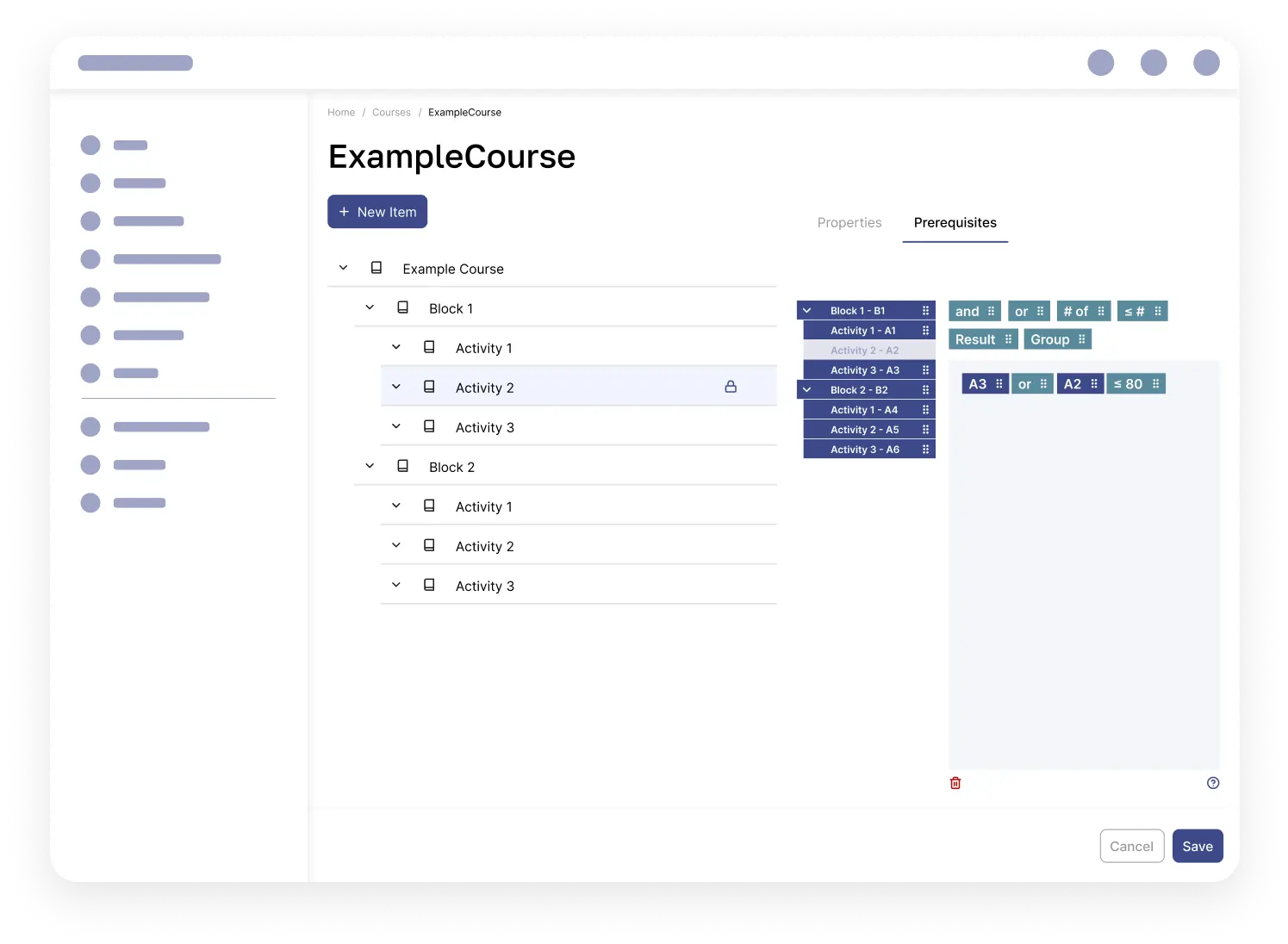
Prerequisite expressions are built by dragging the appropriate activity or block items, as well as operators, into the working area.
Error Handling and Support Documentation
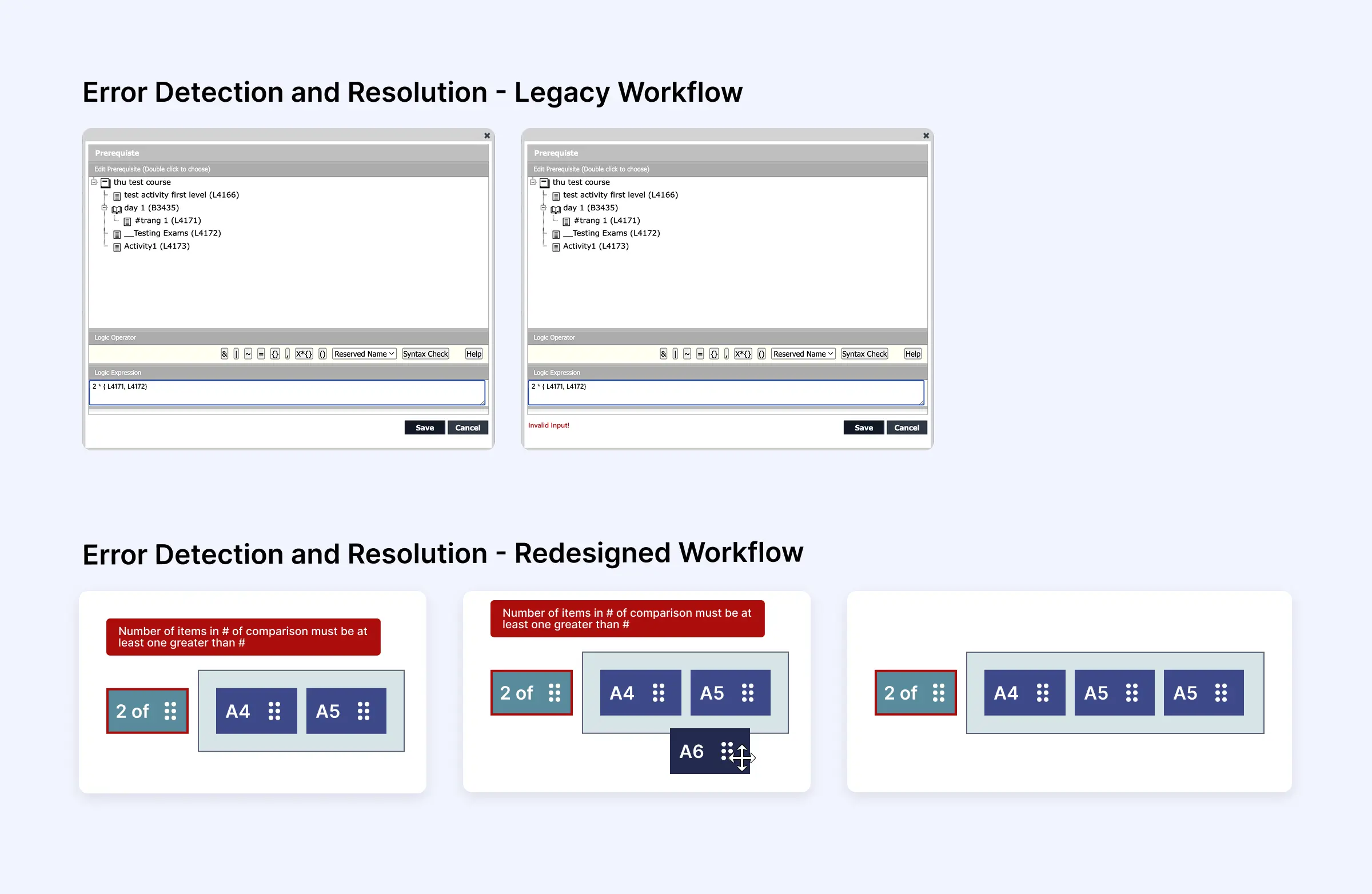
The legacy system’s way of detecting errors was dependent on clicking the Save button and uninformative. This complicates debugging longer expressions because it doesn’t distinguish between multiple errors and user can get lost in debugging their input.
New live error detection and logical rules for order of resolution (most to least recently committed error) distinguishes between errors and allows the user resolve them piecemeal
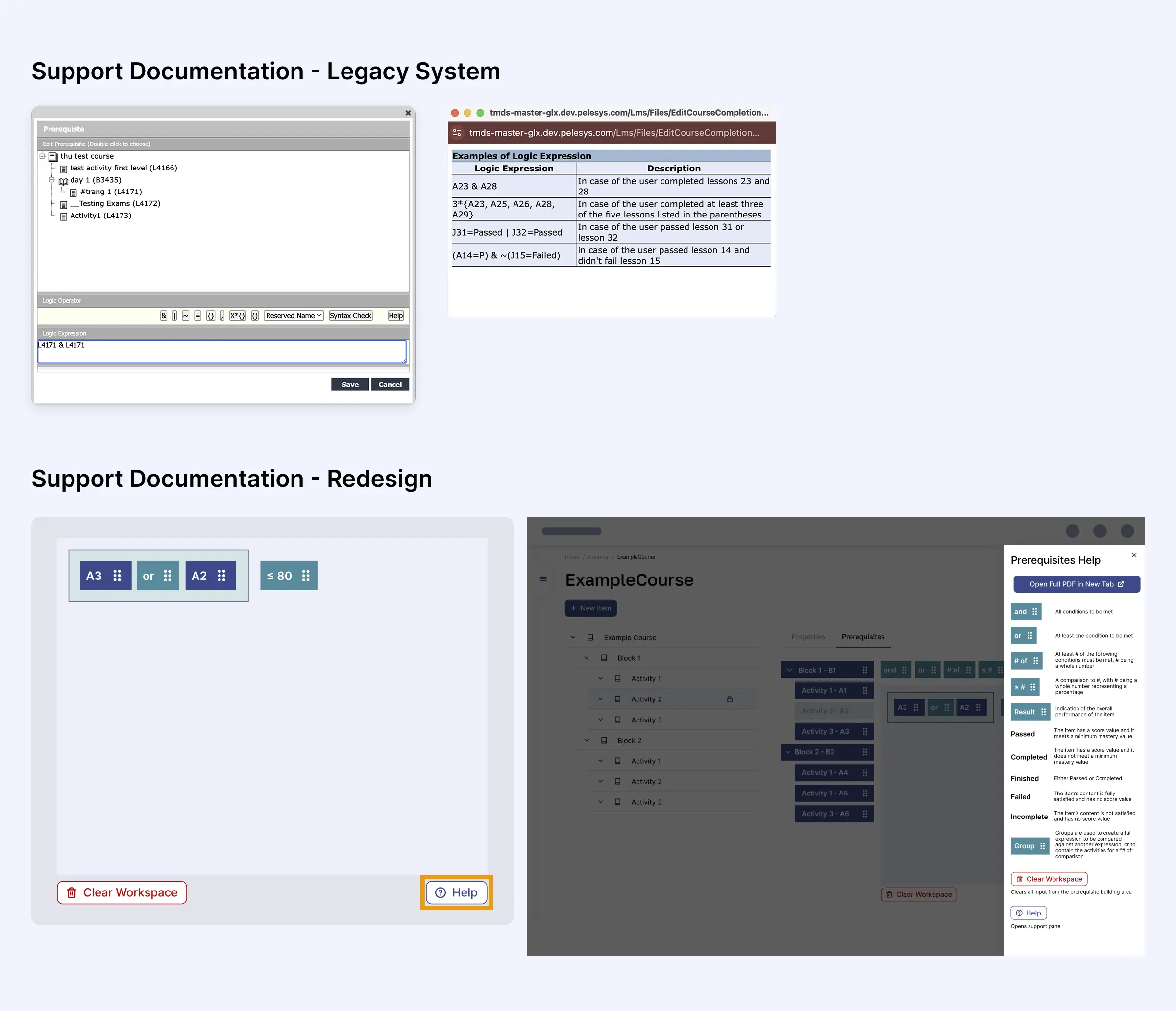
The legacy system’s support documentation consisted of 4 example statements explained in plain English.
New support documentation explains all operators and their properties in plain language. Users without foundational knowledge of boolean operations get a succinct explanation on the operators. It also has the option of opening a longer, unabridged support PDF document in a new tab so users can save/share it.
Reflections and Future Considerations
Due to the volume of content in the prerequisite building tool, a future iteration focused on accessibility would involve using a modal to edit prerequisites.
A speculative read-only design mode would align with the team’s future decision to distinguish user permissions between read, read/edit, and read/edit/delete.
If I had more time post-launch, I’d run usability tests with long-time customers to observe learning curves, interaction patterns, and error recovery. I'd also track engagement through analytics such as common drag paths or task completion times to inform future iterations on how to refine the drag & drop model for scalability.
If security policies did not restrict against AI, I would have used generative AI to synthesize trends from user research, and what inferences could be drawn about the desired visual output (modal/no modal, different mental models of drag and drop functionality). I could have also used AI to fine-tune the text written in the Help panel for improved comprehensibility.